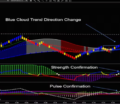
How to setup your charts and workspace for Trading Room Setup Mark’s Charts Setup in your NinjaTrader: Step #1: complete the above mentioned installation steps.Step #2: Right click on the link below, you should see menu option as “Save Link as”. DO NOT click on this link, please do right click.BSG-TradingRoom-WS-Mark-v3.xmlStep #3: If you are using Chrome Browser, Click on “Save Link as” and save the xml under folder “Documents\NinjaTrader 8\workspaces”Step #4: Now restart your NinjaTrader, and you should see “BSG Trading Room WS” workspace.Older version of workspace:BSG-TradingRoom-WS-Mark-v1.xml Previous Post Trading Room – Multi-TimeFrame Analysis Next Post Trading Room – Indicators Setup